NORTHFX — Free DAW, Audio Plugins, SoundsTry free for 14 days ↗

NORTHFX / MIX GUIDE

NEWNORTHSTAR 1.1: it now hears your song ↓

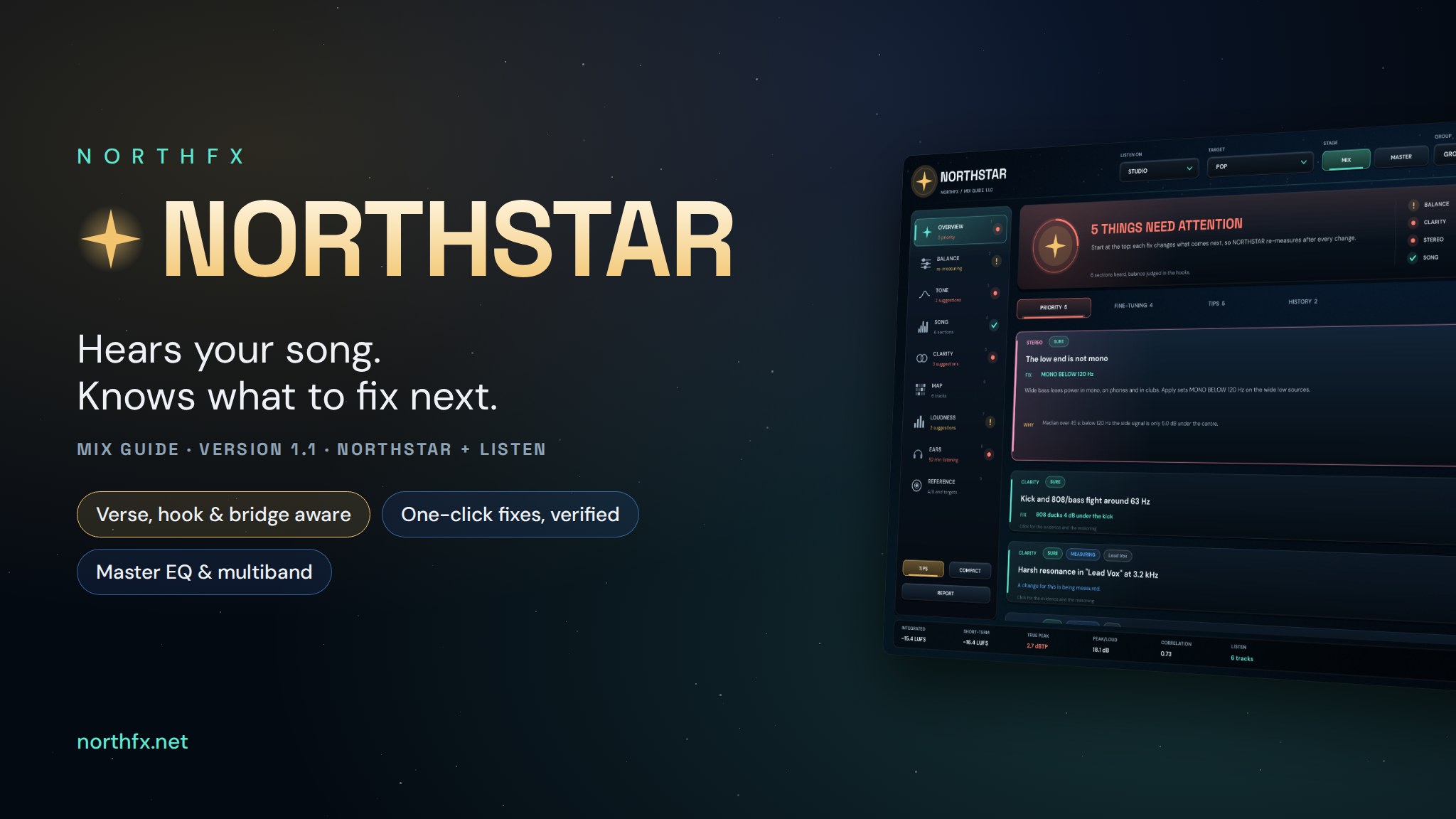
NORTHSTAR

MIX GUIDE · NORTHSTAR + LISTEN · VERSION 1.1 · WINDOWS VST3

Find your way through the mix.

NORTHSTAR listens to your whole mix and to every important track at the same time, and it learns the song: intro, verses, hooks, bridge. It compares balance, tone, clarity, dynamics, stereo and loudness with your target where it matters and tells you in plain words what to fix, most important first. One click applies the fix, NORTHSTAR measures again and tells you whether it worked, one click takes it back. When nothing important is left, it says so: mix is in good shape.

It knows the song

A quiet intro or a sparse bridge is not a mistake. Balance is judged in the hook, where everything plays.

Priority first, not a meter wall

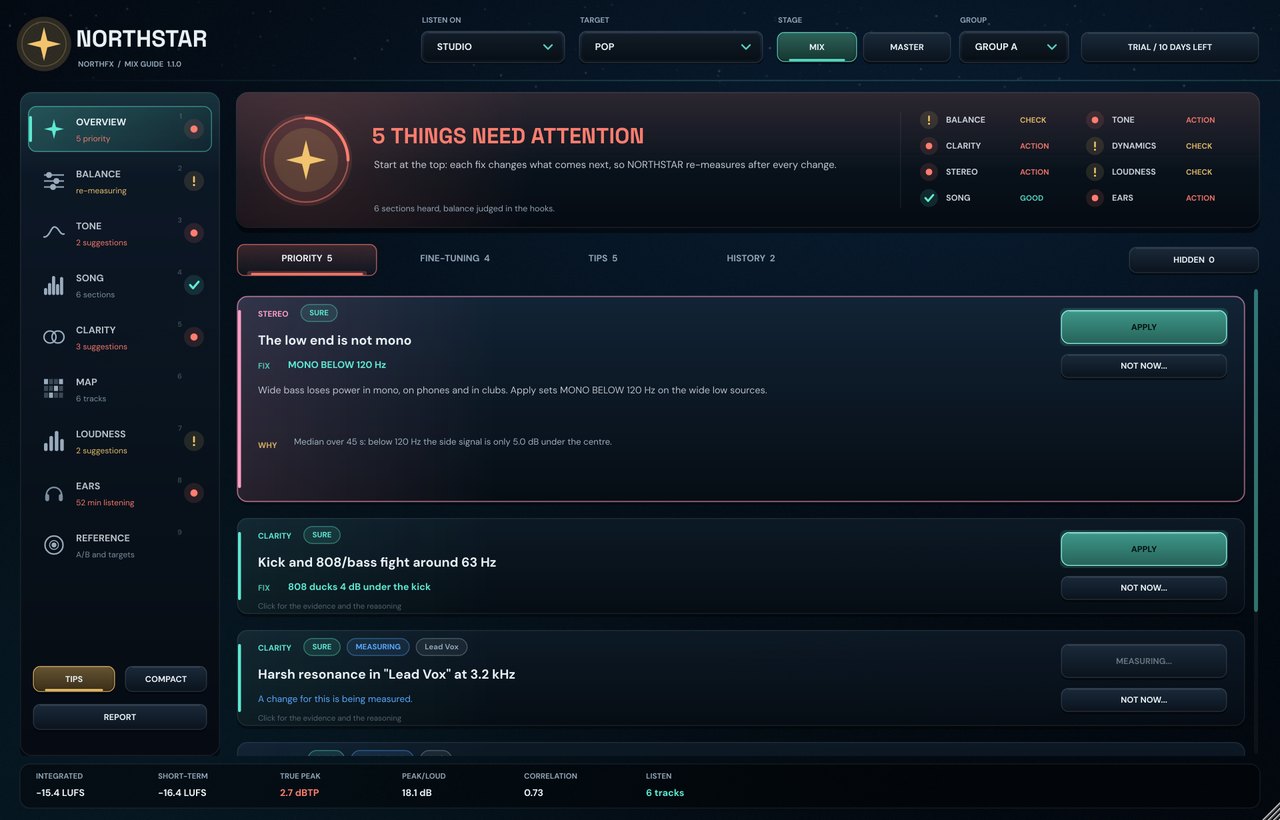
What matters now, what is fine-tuning, how sure NORTHSTAR is and why, with a one-click fix.

Fresh ears, on demand

A snapshot from your first minutes, a drift report and level-matched A/B.

Enquire to buy NORTHSTAR

14-day free trial. Full version, no licence key needed. Buy when you are ready.

See how it works ↓

Windows 10 / 11 · 64-bit VST3 · Contact NORTHFX for pricing and delivery.

NORTHFX NORTHSTAR mix guide: find your way through the mix

NEW IN NORTHSTAR 1.1

It hears the song, not just the mix.

Verse, hook, bridge.

NORTHSTAR follows your song position and finds the sections on its own. The balance is judged in the hooks, the verse gets its own target, and the SONG page shows the lift into every hook.

No more back and forth: an element moved one way is only suggested the other way when it is clearly off. The snare stays where it belongs.

A verdict, and a plan.

The top of the page says where you stand: listening, things need attention, or mix is in good shape. Below, PRIORITY, FINE-TUNING and TIPS, and almost every suggestion shows exactly what APPLY will do.

New fixes: leveler, de-esser, duck under the kick or the vocal, width, low shelf and section rides in LISTEN.

Shape the master.

A six-node master EQ on top of the tone curve and six movable bands from SUB to AIR: louder or quieter with one slider, the target right next to it.

Hear while you drag: on BALANCE the new level plays the moment you move a row, and stays where you let go.

WHY MIXES DO NOT SOUND LIKE THE CHARTS

Three traps. Three answers.

Your ears adapt.

After an hour with a song you hear highs, bass and loudness differently. The hand keeps adding top end, the vocal drifts down, and tomorrow the mix sounds wrong.

NORTHSTAR: a fresh-ears snapshot from your first minutes, a drift report, and FRESH EARS A/B to hear how it sounded then.

Louder always wins.

Any comparison where one side is louder is won by the louder side. That is why references often mislead instead of help.

NORTHSTAR: reference A/B always plays at the loudness of your mix, and the streaming preview shows how services will turn it down.

Nobody tells you what is wrong.

Meters show numbers. They do not say that the vocal is 2 dB too quiet in the chorus or that the pad causes the mud.

NORTHSTAR: the most important problems first, in plain words, with how sure it is, the numbers behind it, the track that causes it and a fix you can apply, check and undo.

HOW IT WORKS

Every track talks.NORTHSTAR listens.

Put LISTEN last on your main tracks and NORTHSTAR last on the master. They connect on their own. NORTHSTAR hears each element and the sum together, which is what makes advice like “the pad causes your mud” possible.

Lead VoxLISTENKickLISTEN808LISTENSnareLISTENHatsLISTENKeysLISTENNORTHSTARon the masterBALANCE · SURELead vocal 2.4 dB too quiet in the hookAPPLYCLARITY · SUREKick and 808 fight at 63 HzAPPLYEARS · LIKELYMix got 2 dB brighter in 50 minA/B
  1. Measure.

    Loudness to EBU R128, true peak, 1/6-octave spectrum, masking and stereo for every track and the mix. Nothing leaves your computer.

  2. Compare.

    Against a genre target, or MY TARGET learned from your own references and your best mixes, section by section: the balance in the hooks, the lift from verse to hook, a quieter intro on purpose.

  3. Fix and verify.

    The most important problem first, in plain words. APPLY changes the right track through LISTEN, then NORTHSTAR measures the new sound and marks the fix VERIFIED or STILL PRESENT. UNDO brings it back.

ADVICE YOU CAN TRUST

Measured again, not assumed.

It says how sure it is.

Every suggestion is marked SURE, LIKELY or UNSURE, and the wording follows: “is”, “seems”, “may be”. WHY shows the measured numbers behind it. A suggestion only appears once NORTHSTAR has seen the problem for several seconds, so nothing flickers.

Hear it before you keep it.

Hold APPLY to hear the change only while you hold. Click to keep it. Afterwards NORTHSTAR listens to the new sound and reports VERIFIED or STILL PRESENT. It applies 75 % of the measured change, so it never overshoots.

No means no.

NOT NOW dismisses a suggestion once, accepts it as your intent for that track or snoozes it. Accepted choices are remembered with the project. Hold A/B in HISTORY to hear before and after; EQ changes are compared at equal loudness.

NINE VIEWS

Everything a mix needs to be checked for.

OVERVIEW

The verdict, eight areas at a glance and the fixes by importance: priority, fine-tuning, tips and history.

BALANCE

Every element in the hook and in the verse against its target. Drag a row to hear and move a whole element.

TONE

Your mix against the target curve, a six-node master EQ and six movable bands from SUB to AIR.

SONG

The map of your song: sections, balance per section, the lift into the hook and the rides.

CLARITY

Kick-vs-808 and vocal-vs-music masking and what every LISTEN track does to fight it.

MAP

Where every track lives in the spectrum, with the crowded ranges and the tracks involved.

LOUDNESS

EBU R128 loudness, true peak, master output and how each streaming service will play it.

EARS

Listening clock, fresh-ears snapshot, drift since then and break reminders.

REFERENCE

Three reference songs, analysed and played back at the loudness of your mix.

THE INTERFACE

A guide, not a meter wall.

Nine focused pages on a rail, each with its live state, written in plain language. Every number comes with what it means and what to do about it. TIPS switches the explanations off once you know them, COMPACT shrinks NORTHSTAR to the verdict and what to do now, next to your DAW.

NORTHSTAR never changes your sound on its own: its master processing is an exact bypass until you or a fix move it, and LISTEN only changes a track when you click APPLY or turn a knob.

OVERVIEW: the verdict, the eight areas and the fixes by importance, each with what APPLY does.

NORTHSTAR LISTEN

On every track.

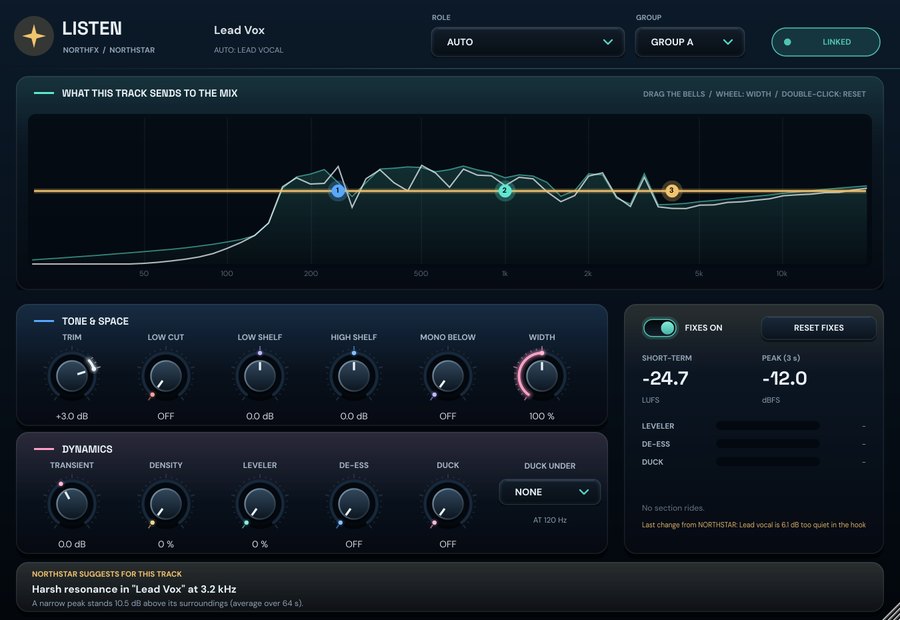
LISTEN measures what a track really sends to the mix and reports it to NORTHSTAR. It guesses the role from the track name: lead vocal, backing, kick, 808, snare, hats, music or FX.

It also carries the fixes: trim, a 24 dB/oct low cut, low and high shelf, three draggable bells, transient, oversampled density, a leveler, a de-esser, width, mono below and a duck that listens to another element, like the 808 under the kick. NORTHSTAR can also ride a track per section of the song. With everything at neutral, LISTEN is bit-transparent.

Back on the master, hold the headphones next to a track to hear it in focus, and use LISTEN ON to check the mix the way a phone, a laptop or a car plays it, or in mono. Monitoring is never part of an offline export.

NORTHSTAR LISTEN on a lead vocal: spectrum, fix curve and controls

HONEST BY DESIGN

A direction, not a dictator.

The built-in genre targets are starting points based on common engineering practice, not copies of specific songs. For the sound of the charts, load two or three commercial songs in your style and let NORTHSTAR learn MY TARGET from them, or teach it the balance of a mix you are proud of. Every suggestion explains its numbers, every change can be undone, and anything you disagree with can be dismissed.

Technical specifications

NORTHSTAR 1.1 compatibility and processing
FormatVST3 (64-bit), two plugins: NORTHSTAR (master) and NORTHSTAR LISTEN (tracks)
SystemWindows 10 / 11, x64
ChannelsMono or stereo
LatencyZero. NORTHSTAR's master processing is an exact bypass at neutral; LISTEN is transparent until a fix is applied.
Master processing6-node EQ, 6-band level split with movable crossovers, output, section rides
Song mapIntro, verse, hook, drop, bridge, break and outro from the host's song position
MeasurementITU-R BS.1770-4 / EBU R128 loudness, 4x true peak, 61-band 1/6-octave spectrum
TargetsPop, Hip-Hop / Trap, R&B, EDM, Rock, Acoustic, MY TARGET learned from references and your mixes; mix and master stage
TracksUp to 64 LISTEN instances per group, 4 groups
References3 slots, WAV, AIFF, FLAC, OGG, MP3; level-matched playback
Sample rates44.1 to 192 kHz
Session reportMarkdown summary with every open issue, its evidence and every change
InterfaceNORTHSTAR 1280 × 820, LISTEN 900 × 620, both scalable; COMPACT view
LicenceOne licence covers NORTHSTAR and LISTEN, one person, two computers; 14-day free trial
Enquire to buy NORTHSTAR

MORE FROM NORTHFX

Keep exploring.

All plugins ↗